Shopping membership cancellation guides • 9 min read
How to cancel Amazon Prime
Cancel Amazon Prime through the correct billing provider, confirm the end date, protect your data, and avoid another renewal.Quick answer
What is the fastest way to cancel Amazon Prime?
Open Amazon Prime Membership for the correct Amazon account. Choose Manage Membership, then End Membership, and continue through every confirmation screen. If those controls are missing, first identify who issued the latest receipt because the billing provider—not the app icon—determines where cancellation happens.
Choose the correct billing path
Cancellation support for the problem in front of you
Start with the billing provider, then use the pathway that matches the charge, refund, receipt, or account issue.
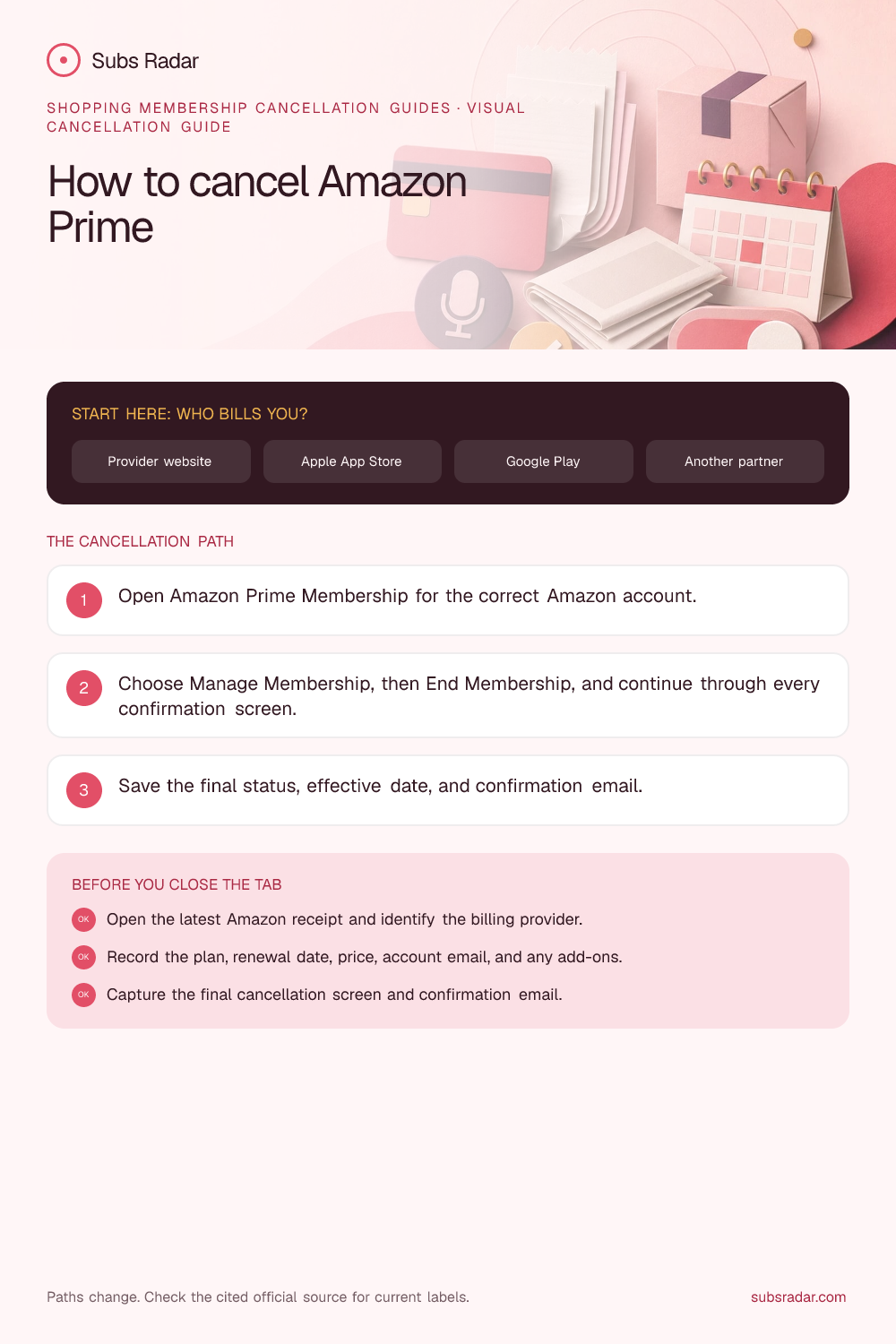
Saveable visual guide
Keep the cancellation path with you.
Download the branded checklist, save it for renewal day, or share it with someone who is trying to find the correct billing account.
A practical framework
Work through the decision in a visible order.
How to cancel Amazon Prime when Amazon bills you directly
Open Amazon Prime Membership for the correct Amazon account. Choose Manage Membership, then End Membership, and continue through every confirmation screen. Button names can change, so use the official source below if the current screen differs.
Before confirming, read the effective date shown on screen. A cancellation normally turns off the next renewal; it does not necessarily erase the account or reverse the latest charge.
- Open Amazon Prime Membership for the correct Amazon account.
- Choose Manage Membership, then End Membership, and continue through every confirmation screen.
First identify who controls the subscription
Check whether the membership is personal Prime, a student plan, a carrier benefit, or Business Prime; each can have a different owner and route.
Search the latest receipt for Apple, Google, Roku, Amazon, a carrier, or another partner. Also check whether the subscription belongs to a different email address, Apple ID, Google Account, household organizer, or workspace owner.
- Direct card or PayPal receipt from the service: use the service account.
- Apple receipt: use Apple subscription settings.
- Google Play receipt or GPA order number: use Google Play subscriptions.
- Partner or bundle charge: use that partner's account and support route.
What happens after you cancel Amazon Prime?
Amazon shows the effective end date during the flow; benefits may continue to the term end unless an eligible immediate end and refund option is chosen.
Ending Prime does not close the Amazon account or cancel unrelated digital subscriptions, Prime Video Channels, preorders, or Subscribe & Save items.
Take a screenshot showing that auto-renewal is off, the access end date, and the account identifier. Keep it until at least one statement has passed after the former renewal date.
Refunds, trials, annual plans, and recent charges
Amazon may show an eligible refund based on benefit use and plan circumstances. Rely on the amount and timing displayed before final confirmation.
Cancellation and refund requests are separate actions. If a charge is disputed, preserve the offer, receipt, cancellation confirmation, support case number, and a short timeline. Use the billing provider's official refund process and check any local consumer rights that apply.
If there is no cancel button
A missing control most often means the plan is already set to expire, another provider bills it, the wrong account is open, or only an owner or administrator can change it. Do not repeatedly buy or delete accounts while investigating.
- Look for an expiration date, renewal-off message, or inactive status.
- Check every likely email address and sign-in method for the original receipt.
- Review Apple, Google Play, PayPal, Roku, Amazon, carrier, and card histories.
- Contact official support from the provider's own domain and request written confirmation.
How to verify that another charge will not arrive
A completed cancellation should produce an explicit renewal-off or expiration status. A submitted form, closed browser tab, removed card, uninstalled app, or support chat without confirmation is not enough evidence by itself.
Add the former renewal date to a subscription calendar. If a later charge settles, compare its service period with the effective cancellation date before contacting the merchant and, if still unresolved, the payment provider.
Choose the billing route before looking for cancel
Open the latest receipt or billing page. If Apple issued it, use the purchasing Apple Account's subscription settings; if Google Play issued it, use Payments & subscriptions in the purchasing Google Account; if the service issued it directly, use that service's official account or billing controls. A plan can appear in the app while cancellation is controlled elsewhere.
Action checklist
Before you consider the task complete
- Open the latest Amazon receipt and identify the billing provider.
- Record the plan, renewal date, price, account email, and any add-ons.
- Open Amazon Prime Membership for the correct Amazon account.
- Choose Manage Membership, then End Membership, and continue through every confirmation screen.
- Capture the final cancellation screen and confirmation email.
- Check the next statement after the former renewal date.
Common questions
Questions this guide should answer
How do I cancel Amazon Prime?
Open Amazon Prime Membership for the correct Amazon account. Choose Manage Membership, then End Membership, and continue through every confirmation screen. Then save the confirmation and verify the access end date. If Amazon does not bill you directly, cancel through the provider named on the receipt.
Why can I not find the cancel button for Amazon Prime?
The subscription may already be set to expire, may belong to another account, or may be billed by Apple, Google Play, a partner, or a workspace owner. Check the latest receipt and current plan status before contacting official Amazon support.
Does deleting the Amazon app cancel the subscription?
No. Uninstalling an app normally removes only the software from the device. Cancel renewal through the account or billing provider and keep the confirmation.
Will Amazon Prime stop immediately after cancellation?
Amazon shows the effective end date during the flow; benefits may continue to the term end unless an eligible immediate end and refund option is chosen.
Will I lose my Amazon data after canceling?
Ending Prime does not close the Amazon account or cancel unrelated digital subscriptions, Prime Video Channels, preorders, or Subscribe & Save items.
Can I get a refund after canceling Amazon Prime?
Amazon may show an eligible refund based on benefit use and plan circumstances. Rely on the amount and timing displayed before final confirmation.
How do I cancel Amazon Prime if Apple or Google bills it?
If Apple issued the receipt, cancel from Settings > your name > Subscriptions; the service itself cannot usually cancel an App Store subscription. If Google Play issued the receipt, use Payments & subscriptions > Subscriptions in the purchasing Google Account. Canceling inside Amazon may not change a store-managed subscription.
How do I prove that Amazon Prime was canceled?
Save the final status screen, confirmation email, effective date, account email, and support case number. Recheck the account and the first statement after the former renewal date.
Evidence and review notes
Primary references
Sources support the factual and safety context. The guide keeps interpretation and limitations visible rather than turning a reference into a universal personal rule.